Monday, August 16, 2021

Garmin HRM-PRO Review

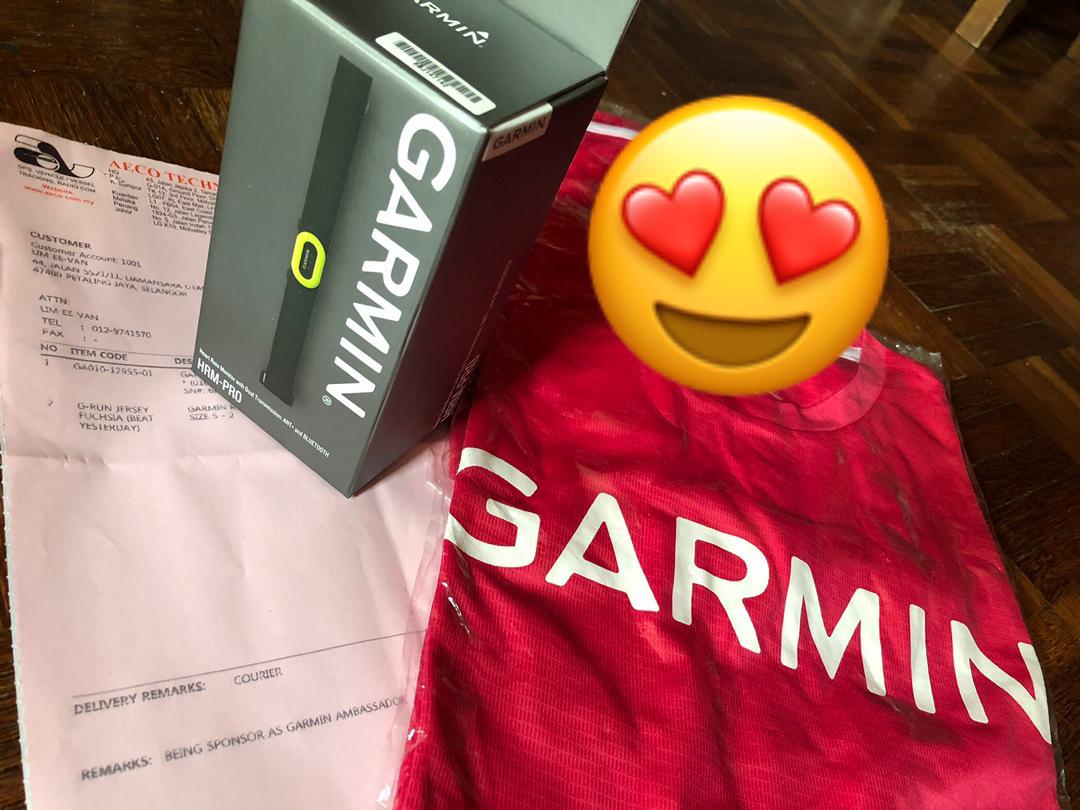
Thank you Garmin Malaysia for the HRM-Pro and the Fushia Garmin Tshirt!

Today I received a package from Garmin Malaysia and as part of my collaboration with AECO Technologies (the distributor of Garmin in Malaysia), they shared an unit of the most advanced Heart Rate Monitor (HRM) with me known as the HRM-Pro. I considered myself very late to this HRM pro, as it was released circa September 2020. My current HRM Run (in service close to 3 years) will be retired as it starts to give erratic readings, and I just bought a brand new (original) strap for it 😞

Unboxing

The evolution of the Garmin HRM started off with the basic HRM that only read HR. Then the HRM-Run came along that offers reading of Running Dynamic that return even more data to the users. The HRM-Run was the "gold standard" for Garmin until the HRM-Tri came about, because triathletes love their data and wanted to know how their HR is like while swimming (Running Dynamic is available in Tri). In case you missed it, HRM does not transmit inside water. HRM-Tri solve this with the ability to store HR data while it's not transmitting to the watch/device, and sync once you are out of water. Then, in January 2020, the HRM-Dual were introduced, which brought in both ANT+ and Bluetooth connectivity. This essentially allowed for greater connectivity across many different devices - and this include treadmills. 

Dual Transmission ANT+ and Bluetooth

However, the HRM-Dual do not have the Running Dynamic of Run/Tri nor the ability to store data like the HRM-Tri. In come the HRM-Pro, which put all of these features together in a (Garmin Malaysia Retail Price of) RM620 strap.

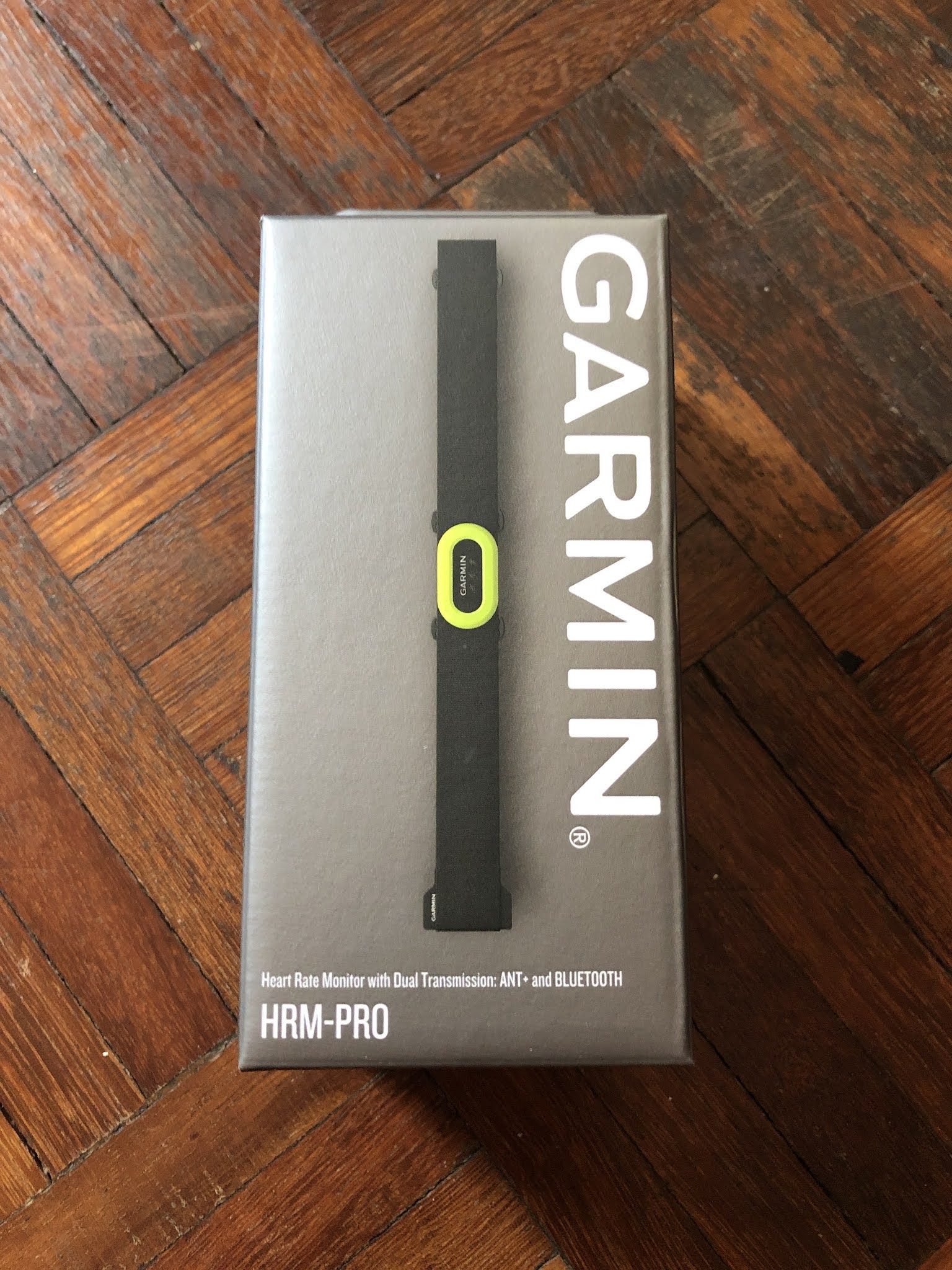
Packaging of Garmin HRM has never actually changed for a long time. While my HRM-Run came with the Fenix3HR that I got almost 4 years ago (bundled), the HRM-Tri came in the same sized box as HRM-Pro. There is only one printed side at the back with more descriptions. 

Non-descriptive, really
The unit is nicely packed inside, with the multi-lingual manual, the HRM and a piece of quick-start illustration which was really cute and self-explanatory. Great for those that do not flip through manuals.
Box is proper open from the bottom - in case you like me, want to keep the box

So now that we know the HRM-Pro is the combination of Dual and Tri, with super-fast data syncing to your Connect app as a bonus. This would meant any off-device activities that does not involve impact to the chest/sternum area (where the HRM-Pro) will reside, can be used. You can now wear just the HRM-Pro for your game of soccer, hockey, basketball, martial arts and still get HR data, steps count, Intensity and calorie expenditure. I skipped swimming as you would want to wear your watch to record your SWOLF, stroke types and lap count/distance (which requires hand movements, pushing off wall, and of course satellite signal for open water swim).

From the manual and specifications, I found out that the HRM-Pro can do these:

  • It allows for concurrent Bluetooth & ANT+ Connectivity, up to two BT, and unlimited ANT+. You can literally broadcast this to all devices of any brands (that support ANT+ and BT), any type (bike trainer, treadmills, wrist devices, cycling devices, phone, Apps like Strava or Virtual Runs Zwift).
  • It is the first Garmin HRM that links directly to the Garmin Connect app (mobile phone).
  • Yes. Running Dynamics, which meant you get the usual data and estimated power (for Power, I use the Garmin widget as one of the data page).
  • Yes. Swim with it. Your HR data synced the moment you leave the water. 
  • Yes. Without your Garmin device, all your steps, intensity, calories, stored and sync-ed to your True-Up devices (Garmin) which unify a one-stop-shop data centre.
  • No. It does not create a workout file if you are using it as a standalone device. Unlike the watch that automatically "guess" your workout type and start to track it as if it's a workout, so you can save it later as a workout, if needed.
  • HRM-Pro battery status. No more guessing if your HRM has battery issues. (CR2032 replacement same as HRM-Tri)

Everything in the box, unboxed.

Should you consider to purchase this? If you already have the HRM-Run, this is a nice upgrade, more so if you are like me, the HRM-Run is already faulty. If you have the HRM-Tri, maybe so if you want the off-device tracking, but to me that is hard to justify. If you are on the HRM-Dual, almost no reason to get this especially if you do not have a Garmin device as you would not be able to maximise the "true-up" function or derive the Running Dynamic that is inherently Garmin. 

Upclose

More Details

Comparing this strap to HRM-Tri makes a lot more sense as they are technically built the same way. Obviously when compared to the older HRM-Run, it is a major upgrade in terms of material quality, comfort and fitting. However, unlike the HRM-Run, the transmitting unit is fixed to the strap and can't be removed. So, if the strap doesn't outlast the transmitter, it will be an expensive replacement, vs being able to buy just the strap (either original or 3rd party).

HRM-Pro in green and HRM-Tri in blue

What is on the strap of Pro and Tri - with differences in name, and symbol of ANT+, and Bluetooth

Absolutely no differences in material, finishing and quality

Same for the other receptor side

Even the hook, the same
If there is one difference i can recall, was that the HRM-Tri came with an extender to allow for usage beyond 42inches chest girth. HRM-Pro doesn't provide this as additional. Perhaps the feedback from users that it was never needed for most that were using it. So, if you have wider chest girth, and need the extender, do check on the availability with Garmin when you plan to purchase this.

The unit, like the HRM-Tri, is water resistant to 50m or 5ATM. Unlikely to create any issue if you are using it for open water swim, or if you are using it for diving in a recreational dive (up to 39m depth), and obviously would not work if you are into free-diving or diving deeper than 50m depth. The working temperature is between -10DegC to 50DegC, which may not be applicable for many of us in Malaysia where I am. Taking all these into consideration, there is no issues for me specifically to use this unit in Malaysia, and generally for most of the folks unless they are doing extreme temperature/weather sports.

Linked via Bluetooth and ANT+

Work Out Of The Box

Linking the HRM-Pro to the mobile Garmin Connect app very fast. It showed up almost immediately once I wear the strap and when I tapped to activated the Garmin Connect app.

The wonder of Bluetooth speed of connectivity

I linked the HRM-Pro on the Garmin Connect first before the Fenix6ProSolar so I could appreciate the Dual-ability of the connection. It was easy and fast.

Let's Go!

Connecting

All done within 1-min (1232hours)

Including updating the unit firmware which was seamless and fast in terms of easiness. There is a pause as there is no feedback after the unit was upgraded to 7.40. To reconnect, i killed the Connect App, and toggle the Bluetooth, and I was back.

Once connected, you have these two options

Clicking on GENERAL you will get these option, including battery indicator

Always a good option to update before continue usage

OK. Lets go (already)

Sending Updates status at bottom

Pressing OK will disconnect the device so it could update 

it will disconnect, and you need to toggle your Bluetooth to reconnect

all done!
Pairing to your Device
Pretty straight forward and you can do it via the Setting -> Accessories/Sensor - >Add New function. If you have any issue to link them, i suggest you disconnect it from Bluetooth and the Garmin App for the initial pairing. 
On the Fenix 6, press the left middle button and scroll to Sensors & Accessories

Pretty straight forward

Add New

You can Search All Sensors or scroll to External Heart Rate

I rather the device work harder 😋

Once found, just select to Add

Done, easy peasy lemon squeezy

Usage during activity
The HRM-Pro function just like the HRM-Tri and HRM-Run (stating them both only as these are my only other experience within past 4 years moving from basic HRM, to Wrist HRM). The reading is stable and smooth. Running Dynamic reading is as expected. Accuracy wise seems consistent with my usage of HRM-Run, HRM-Tri and Running Dynamic Pod. 

Remember to allow the sensor to pair up before pressing START. It usually will link up pretty fast unless your skin is dry. Nothing some water can't solve. In Malaysia, we do not have such issue due to our high humidity level. Once you are ready to go (aka Satellite locked and all sensors ready to go), it will start recording at the press of Start. 
Snapshot of my interval run using HRM-Pro (first use)
When compared to the run I did using the HRM-Tri, the build up and consistency is similar. No spikes or irregular readings.
Snapshot of the earlier interval run using HRM-Tri (most recent)
When it comes to Running Dynamic, the data is the same as using the HRM-Tri as with the HRM-Run. The HRM-Pro as expected gave reading for the respiration as well as long as your device, in my case, the Fenix6 Pro Solar, supports it. 
HRM-Pro data

vs HRM-Tri.

HRM-Tri Data

How much really does the data differ if you are using just the Wrist-based HRM? Not much if you are looking at average, but quite significant if you are looking at spikes and fluctuation. These are normal as the sensor has limitation due to color of skin, sweat and overall fitting of the device over your wrist. Should you be critical of these data? I would say not really if your workout is classified as "easy" and almost running by feel (can talk, sing). 
Notice the spike and fluctuation without a chest HRM. Running Data possible with Running Dynamic Pod

And without the chest HRM, the device would not be able to read your respiration rates.
Running Dynamic is possible as I am using the Running Dynamic Pod

As you can see now, the usage of chest HRM for me is only when I am doing more demanding run (tempo, interval, race, and above), as I would want to be as accurate as possible to detect any changes to my Maximum HR, my Lactate Threshold HR and my Lactate Pace. All these help me to plan and shape my training more solidly for self-improvement.

Usage as standalone HRM-Pro 
I am sucker for data. Whenever my Fenix6 Pro Solar is being charged, I use my Fenix5x Plus to record my HR and steps primary. Now with the HRM-Pro, i have the option to just use it for this purpose while my Fenix6 is being charged (typically within 2-hours to full charge). The ability of the HRM-Pro to keep/save data and sync on the Garmin Connect app got me intrigued and so, i wore it while watching TV last Saturday evening.
There are gaps in the data!

I realized there are gaps in the reading and it occurs to me those were the time the HRM-Pro went to sleep due to no Bluetooth connection to the phone (and hence Garmin Connect app) as I left my phone to charge and out of the BT range. but when it is in range like post my evening walk, dinner, and post phone connection/in-range, it showed records. 
Lazy TV time on Saturday evening with ZERO movement. HRM-Pro not connected to Phone (out of Bluetooth range)

Not happy with the outcome because I want to be certain the HRM-Pro does what it is supposed to do aka record off-device, today (August 16), i decided to test the connectivity again while my device is being charged from 40%. I put on the HRM-Pro and it recorded like charm while linked to the Garmin Connect app via Bluetooth. Using it exclusively without the Fenix6 on my wrist (for a moment i was having device-separation anxiety as now i don't get my SPO2 reading, but in the name of this review, it's a small sacrifice i am making 😏)

HR with Movement. I stand at work, often stretch while standing.

So, i guessed the HRM-Pro does what it is supposed to do if it is off the Garmin device. Only caveat is if your phone with active Bluetooth and Garmin App is running in the background. I won't worry too much about the battery life (of the phone of strap) if you are more inclined to record everything. But do know that there are limitation and it is the active connection and in-range of these to communicate outside of your active Bluetooth connection when you are not doing any activities.

So how do the HRM-Pro then detect your data if you are not wearing your watch, or has it paired to your phone while you were doing activities (like swim, run, bike, martial art, soccer, basketball etc?). This is where this one step is important. Do remember that the HRM-Pro has no ability to create a workout automatically, it takes the prompt from the device it is linked to.

Before you start your activity, you have to make sure the HRM-Pro and your device is paired up and recognized before you press START (example like activating it as as activity; RUN, BIKE, SWIM, CARDIO, HIKE, HIIT). Then the HRM-Pro will know that it need to start storing and recording your data san the watch or the device is transmitting without any receiver (device), like when you swim with the HRM-Tri. And once you are near/connected to the watch again, it will download the data (like the HRM-Tri).

This explain why no data were recorded when you were not doing any activities and not connected to your phone, like when i was just wearing it to watch TV on a lazy Saturday evening.

Care for your HRM-Pro
Having the experience of using different HRM-straps from the most basic to this most advanced model, the care for the HRM-strap is easy. While the older units allow the transmitting unit to be separated from the strap, the newer one doesn't do that. The documentation can be found here.

The rule of thumb with HRM strap are:
  • Avoid machine washing the straps
  • Hand rinse in cold water after every use as you just want to remove salt (from sweat)
  • Hand wash once every 7-usage, or if you use them once a day, that is once a week.
  • If you are using it for pool (chlorinated) swim, wash it with mild detergent after every use.
  • Use only mild detergent, or just tiny amount of washing, soap, shower gel
  • Air dry indoor by hanging it on the loop
  • Do not roll it up when storing. Store flat.
very straight to the point use that even my kids can understand

Extra care if you intend to use the strap in chlorinated pool

Summary
The HRM-Pro is in my opinion, the buffed up version of HRM-Tri with additional ability to link via Bluetooth and be used for off-device activity, including being used for tracking when not doing any activity. Designed for the Garmin ecosystem, the additional Running Dynamic doesn't work outside of the Garmin device realm. So, if you are planning to use this with just your Strava or linked to your Virtual Running (Zwift), it may end up as a very expensive option. However, if you are already on the Garmin ecosystem, with the compatible devices, you can maximize the function of the HRM-Pro. 

In the table below, you will see each of the HRM and their features. If you are currently using an older HRM from Garmin, and want something as an upgrade suitable for your need, look no further that getting one that will maximise your training. I will update here or create a new one from time to time if anything changes from the existing usage - I do not foresee needing a battery change anything sooner that the next 6-months for now. 

Specification


HRM-Pro on Official Garmin Aeco Site

*Thank you Garmin Malaysia AECO Technologies for the HRM-Pro unit as part of the Athlete Ambassadorship.

Tuesday, September 29, 2020

Garmin PacePro Pacing Strategies Review

One of the function that is made available for Garmin users is the PacePro function that acts like your own personal pacer. If your device has this function, it is best to learn to maximise it during your training so you know what to expect when you are using it on race day. This is a step by step (almost) on how to get this onto your Garmin Connect, and then synced to your Garmin Device.

First, open your Garmin Connect and click on Training->PacePro Pacing Strategies. If you are new to this, chances are you won't have any "courses" on it, so you can either take one of your regular course, or just set the "distance". For me, as I train on regular route, i chose my 12km Loop that goes from DU to TTDI and back.

Next, is to set your "Goal Time" aka what time you aim to finish this distance. As I have a 75mins run scheduled as part of my Garmin Coach training, i decided to coincide the 75mins training with this 12km run. Killing two bird (and using two Garmin functions) at same time!

Once you click NEXT, the PacePro will permutate this on your Garmin Connect. This will also include a Heat Map where the color goes from Slow (blue) to cruising (green) to fast (yellow) to red (take my life now). Nifty as you can have a good overview of how your run/race/training will happen - winning the mental war is half the battle won!

Scroll down and you will see the slider option where you can work on a consistent from start to finish pace (middle) or slide to the right for a negative split run. Even the uphill effort can be adjusted and the PacePro will adjust it for you so your targeted timing will be achieved.

You can even edit your KM by KM split to fine tune it. Because you may felt you want to challenge yourself more in one of the identified KM (example, one section about 600m is downhill, so why run at 6:00 when you can do a 4:00?) I left it as it is, because I want to see how PacePro will adapt to my running, and really why change something that is already planned at best for you (by Garmin)?

Next is to sync it to your Device and you can see a list of compatible devices shows up. For me, only my current Fenix6 Pro Solar is compatible. For now, the Fenix 6 series, Marq, FR945 and FR245 has this feature available.

Once you sync it, the PacePro is ready and available for you to use in your Garmin device. I had to take so many screen shots of this as the window was open only momentary... so enjoy this photo longer, please.

Now let me show you how it works in real life.

As you know, I have a "long run" scheduled as part of my Garmin Coach program (it is also free and available in your compatible devices!), which is actually a 70mins easy run. I also have my Ironman Kona Endurance Block run, which is a 75mins run session. 

So since all of these coincide, I planned the run as my day workout, and then you press up button (on my Fenix 6 Pro Solar) and activate the PacePro Plan. Select the course (12km DU-TTDI Loop). You even have the option to get the Garmin Device to navigate for you (which I did, since, why not).


You will also have the opportunity to review your run elevation, which in my case, the total elevation is approximately 148m over 12km. Which is "flattish".
Once you are locked on to the satellite, you are ready to go!

You be guided KM by KM on your progress and pace - including how many minutes or seconds you are behind the pace target, which is a nice thing to see so you know whether you are hitting your target and possibly getting a PR if you get your game right. The PacePro will prompt you on each KM's "required" pace; which in my case i was running faster at KM2 (ahead by 2:19). 


While I was running, i continue to get my Garmin Coach feedback on my pace (i am to run between 5:20-5:40), and I adjust it accordingly. Also at every major turning, i get prompted (sound like whistle) to turn. It appear twice - first time with approximate distance to the turn, and second time, at the turn (and usually happened after I turned) - which can be confusing especially when you just turned... haha. Photo below showed the left turn after I turned, and you see a small triangle on the upper right next to my HR... that is the direction of run, so I am actually on the right "track". If you wonder what data page I am using, look for DozenRun on ConnectIQ.

Upon completion, you have the option to review your actual split vs your PacePro. This help you to improve and recognise your weak section. Or in this case, i must learn to take my run a bit easier in the "easy run".


Using this wisely, Garmin Coach with PacePro, coupled with the Metronome function, and even with navigation, you will only improveyour run, and always ready for any route and location. 

Stay tuned for more awesome features from Garmin devices as I share them in future! Meanwhile, these are all the sharing i have posted in the Garmin Malaysia Community group in Facebook - Covered Metronome, Garmin Coach, Heat Map and many others, which I should had made it into a blog entry just like this!

Tuesday, August 18, 2020

Garmin Coach - Guidance On Your Wrist

First introduced in 2018, Garmin Coach is an adaptive training plan made available to a list of (newer) devices that can be created (desktop or on Connect App), synced to your device and help you to work through the training plans. List of compatible devices is at the end of this blog entry. Before I go into the specific of Garmin Coach, you can find a list or training plan (free) you can use from Garmin. As of today, they covers Running, Cycling and even Triathlon. This is above the "Workout" training, which includes strength, movement and Yoga you can find in the Desktop Connect or on the Connect App. 

For today's sharing, I will focus on the run specific training plan - because Garmin has gotten the help of three world class coaches to guide you from the wrist. You have invested in an expensive device, it is time to learn to maximise the features and functions! As I am prime in my base training at the moment, I've made the small decision to incorporate speed into my training, and intend to utilise the 5k Garmin Coach Plan for this reason. 

Once you select the option (in this case the Garmin Coach 5K), you will have a to answer a few questions as the system customise, or in Garmin's term, "adapt" to your intent. First off, you get the disclaimer and also the overview of the plan.

Clicking Set Up Plan will start the process with you telling Garmin what is your weekly distance. I select 40km as that is my minimum I would run in a week. I also set my average pace to be at 5:30, as this is my MAF/Zone2 capability at the moment. If you feel you can run more and run faster, adjust as required.

Clicking on NEXT will bring up the next options that allow you to choose what you are trying to achieve. They are beginner friendly, and this include gauging your own ability at the end of the program. As I consider myself to be intermediate and want a bit more challenge, I chose for a "Run with a time goal", and I've selected the fastest possible time allowed - which is 22:00 to complete a 5km. So, if you can run a 5km in sub 22mins, this plan may not be well suited for you - BUT, this plan can be used to further strengthen your base ability and work on your speed. 
Next comes the decision that may be confusing for some, and makes you having to decide which could be best. The three coaches will be available for your choosing. Coach Greg, Coach Amy, or Coach Jeff? 


Having went through all three coaches plan, and their style, my summary would be this:

Coach Greg - Focus workout that is time-based. Suitable if you are targeting to achieve a certain time-based outcome or have limited time in a day to commit (example, you have only 40mins in a day, or if the plan calls for a 60mins session, you can plan ahead).

Coach Amy - Focus on workout that is distance based. She also throws in some strength exercises and cross training as part of the focus for injury prevention. If you are the type that can commit to a (example) 12km run with no time restriction, this can be for you. 

Coach Jeff - He is famous for the "Galloway Method" which involves a run-walk-run to improves performance. His program covers speed, hill, and tempo. You will learn "Glider" drill, and even forced to do a "Magic Mile". Great for both beginner and intermediate runners. Can be challenging for experienced runners too.

Personally, I've liked Coach Jeff's plan the most, followed by Coach Greg, and then Coach Amy. For the purpose of this 5K plan, I've decided to utilise the service of Coach Greg - as his plan can sits right into my regular miles i do everyday (being part of the plan).

The next screen will ask your on your availability. I've marked weekday and left Saturday for my virtual races with Ironman, and Sunday as my rest day. I've also marked Monday as a potential for my Longer distance run if required - simply because I would had been rested on Sunday, and there is no better way to start a long run on a Monday.

Next, as the intend of this running plan to to compliment my existing base/MAF/Zone2 training, I've set the "race day" to be as long as the system allows me to be. I've chosen November 28th - and called it the "5km TT". That is a comfortable 100 days away from today (August 18).

Then you confirm all your information, or edit as required. Simple steps so far yes?
Once you press "Create Plan", you will have this page, with option to set this on your Garmin Connect page to monitor, and it will show up automatically on your Connect App once you sync your device with the phone (via Bluetooth) or Desktop (vis Express).

From experience, all the training plans will start off with a "Benchmark Run", a short simple run that will serve as the benchmark as the plan adapts itself to you ability. Coach Greg's Benchmark is a 9:00 workout that includes 2mins each of warm up and cool down. 

Once you sync your device, and are ready for your training for the day, pressing "run" on your device will bring up the plan for today. You will have the chance to review the plan by pressing View, and it will reflect the same "steps" for completion.

Hope today's entry helps you to understand more on the Garmin Coach training plans, and how you can maximise on this functions included in your device! Don't wait up, as I'll be heading for a 75mins bike and a 9mins benchmark run now!

List of Compatible Garmin Devices able to use Garmin Coach is taken from link in Garmin website here:

  • Descent MK1
  • fenix 5 series
  • fenix 5 Plus series
  • fenix 6 series 
  • fenix Chronos
  • Forerunner 45 / 45S
  • Forerunner 245 series
  • Forerunner 645 series
  • Forerunner 935
  • Forerunner 945
  • Instinct series
  • Legacy Hero series (Captain Marvel, First Avenger)
  • Legacy Saga series (Darth Vader, Rey)
  • MARQ series
  • quatix 6
  • tactix Delta
  • Venu
  • vívoactive 3 series
  • vivoactive 4 / 4S