Showing posts with label IronMan. Show all posts

Monday, January 17, 2022

2022 Sports Paragon Ambassadorship - A Collaboration With Paragon Vest Malaysia

Happy New Year 2022 everyone!

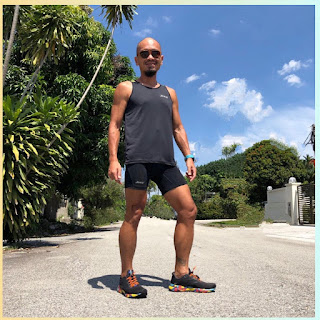
Hi everyone! Happy new year! I would like to officially share the news that for this year (2022), I have been signed on as one of the Sports Paragon ambassador. If the name doesn’t ring a bell, maybe brand names such as Brooks Running, Zoot Sports and Prime may be more familiar to all of you. Yes, Sports Paragon is Paragon Vests Malaysia, sole distributors for many sports brands that some of you may had used and came across.

This year, I will be utilising Brooks Running shoes, the Zoot triathlon collections, and the Prime sports wear in my training and racing. I may from time to time, be able to share more campaigns and promotions so you my dearest readers and followers, will get a solid chance to save money while doing the sports you love. There are plentiful of sports brand and items at the Sports Paragon online store here.
The Brooks Launch8. Review here

Feel free to ask me anything of these brands. Being an user myself puts me in a very favorable position to provide actual user experiences; those of you that know my review style, will know I write based on my personal usage experience. I will continue my sharing in my social media spaces here in Instagram, Facebook Page, YouTube channel Twitter and Garmin as I engage all of you as the Key Opinion Leader (KOL), bringing technical and user reviews of these sports brand and sharing promotions and campaigns from Sports Paragon Malaysia!
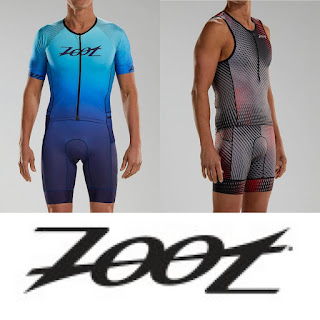
The original Triathlon technical wear

To kick things off, I am sharing discount codes for online purchases for all brands under Sports Paragon, Brooks Running Zoot Sports and Prime. Sports should be affordable to everyone, and looking good is part of it! These discount codes are for your whole year 2022 purchases from Sports Paragon website, Zoot Malaysia and Brooks Running Malaysia. There are plenty of brands with different items. There will be something to suit all style, preferences and budget. Do check for item availability from time to time.
Find out more about them soon!

The specific Zoot and Brooks website carries newer models while Sports Paragon has everything, including some older models, which is why you see better discount in Sports Paragon official site.

Promo Code: SPEV02(SP)
Footwear: 55%
Apparels: 50%
Sandals: 40%
Accessories: 50%

Promo Code: EEVANOFF25 (Brooks)
25% OFF of all items ( exclude sale items )

Promo Code: ZOOTEEVAN20 (Zoot)
20% OFF Zoot website Non promo items
10% OFF Zoot website Promotion items
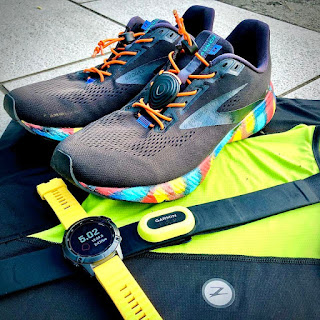
Together with Garmin Malaysia and Stryd Malaysia for 2022!

I will be using these hashtags a lot in my social media postings, so that will allow for easier references with like-minded individual that contribute to the community. 

#sportsparagon #Swim #Bike #Run #triathlon #zootsportsmy #brooksrunningmy #primesportsmy #sportsparagonmy #keepshowingup #runhappymy #AllWeatherRunner #keepshowingup #runhappymy #AllWeatherRunner #getfitwithsportsparagon #GarminMalaysia #BeatYesterdayMY #StrydMalaysia #RunningWithPowerMY
Bring On 2022!


Tuesday, September 29, 2020

Garmin PacePro Pacing Strategies Review

One of the function that is made available for Garmin users is the PacePro function that acts like your own personal pacer. If your device has this function, it is best to learn to maximise it during your training so you know what to expect when you are using it on race day. This is a step by step (almost) on how to get this onto your Garmin Connect, and then synced to your Garmin Device.

First, open your Garmin Connect and click on Training->PacePro Pacing Strategies. If you are new to this, chances are you won't have any "courses" on it, so you can either take one of your regular course, or just set the "distance". For me, as I train on regular route, i chose my 12km Loop that goes from DU to TTDI and back.

Next, is to set your "Goal Time" aka what time you aim to finish this distance. As I have a 75mins run scheduled as part of my Garmin Coach training, i decided to coincide the 75mins training with this 12km run. Killing two bird (and using two Garmin functions) at same time!

Once you click NEXT, the PacePro will permutate this on your Garmin Connect. This will also include a Heat Map where the color goes from Slow (blue) to cruising (green) to fast (yellow) to red (take my life now). Nifty as you can have a good overview of how your run/race/training will happen - winning the mental war is half the battle won!

Scroll down and you will see the slider option where you can work on a consistent from start to finish pace (middle) or slide to the right for a negative split run. Even the uphill effort can be adjusted and the PacePro will adjust it for you so your targeted timing will be achieved.

You can even edit your KM by KM split to fine tune it. Because you may felt you want to challenge yourself more in one of the identified KM (example, one section about 600m is downhill, so why run at 6:00 when you can do a 4:00?) I left it as it is, because I want to see how PacePro will adapt to my running, and really why change something that is already planned at best for you (by Garmin)?

Next is to sync it to your Device and you can see a list of compatible devices shows up. For me, only my current Fenix6 Pro Solar is compatible. For now, the Fenix 6 series, Marq, FR945 and FR245 has this feature available.

Once you sync it, the PacePro is ready and available for you to use in your Garmin device. I had to take so many screen shots of this as the window was open only momentary... so enjoy this photo longer, please.

Now let me show you how it works in real life.

As you know, I have a "long run" scheduled as part of my Garmin Coach program (it is also free and available in your compatible devices!), which is actually a 70mins easy run. I also have my Ironman Kona Endurance Block run, which is a 75mins run session. 

So since all of these coincide, I planned the run as my day workout, and then you press up button (on my Fenix 6 Pro Solar) and activate the PacePro Plan. Select the course (12km DU-TTDI Loop). You even have the option to get the Garmin Device to navigate for you (which I did, since, why not).


You will also have the opportunity to review your run elevation, which in my case, the total elevation is approximately 148m over 12km. Which is "flattish".
Once you are locked on to the satellite, you are ready to go!

You be guided KM by KM on your progress and pace - including how many minutes or seconds you are behind the pace target, which is a nice thing to see so you know whether you are hitting your target and possibly getting a PR if you get your game right. The PacePro will prompt you on each KM's "required" pace; which in my case i was running faster at KM2 (ahead by 2:19). 


While I was running, i continue to get my Garmin Coach feedback on my pace (i am to run between 5:20-5:40), and I adjust it accordingly. Also at every major turning, i get prompted (sound like whistle) to turn. It appear twice - first time with approximate distance to the turn, and second time, at the turn (and usually happened after I turned) - which can be confusing especially when you just turned... haha. Photo below showed the left turn after I turned, and you see a small triangle on the upper right next to my HR... that is the direction of run, so I am actually on the right "track". If you wonder what data page I am using, look for DozenRun on ConnectIQ.

Upon completion, you have the option to review your actual split vs your PacePro. This help you to improve and recognise your weak section. Or in this case, i must learn to take my run a bit easier in the "easy run".


Using this wisely, Garmin Coach with PacePro, coupled with the Metronome function, and even with navigation, you will only improveyour run, and always ready for any route and location. 

Stay tuned for more awesome features from Garmin devices as I share them in future! Meanwhile, these are all the sharing i have posted in the Garmin Malaysia Community group in Facebook - Covered Metronome, Garmin Coach, Heat Map and many others, which I should had made it into a blog entry just like this!

Tuesday, August 18, 2020

Triathlete On Budget - Servicing Your ZIPP Hubs

I've gained confidence to do this process after an event last year during a ride when my ZIPP wheels refused to freewheel due to sticky ratchet and it was 1 month to my Ironman Malaysia 2019 race. Out of desperation and thinking what could be the worse case scenario (hub replacement), I thought there may not be anything to lose to try to fix it. The first attempt back then was a clear success - I've managed to strip it off, cleaned, greased it, and reassembled it back - and lost the chance to document it for future reference. Fast forward to last weekend, i had this chance again as the wheels appears to be rough, and has a bit more freeplay that it usually does. I decided to spend the day documenting it, and shared it on my Twitter account. If you are interested, and wants to know how I did it, click on this Threadroll at the bottom of today's sharing and hope it is helpful for you.

How to service a ZIPP Hub - A Thread on Twitter by Stupe